How long an iPhone lasts on a single charge is not determined by battery capacity alone. Screen power consumption, processor efficiency, cellular activity, temperature, software behavior, and the condition of the battery itself all influence real-world runtime.
The differences become clearer when we look at how iPhone batteries work and how their performance changes with use. A larger battery may provide more stored energy, but it does not always produce proportionally longer runtime. This article compares battery life across popular iPhone models using official ratings and real-world browsing, video, and gaming tests, while also explaining how battery aging, heat, charging, and high-power use gradually affect lithium-ion cells.
iPhone Battery Life by Model| iPhone Model | Battery Capacity | Video Playback | Streamed Video |
|---|---|---|---|
| iPhone 17 | 3,692 mAh | Up to 30 hrs | Up to 27 hrs |
| iPhone 17 Pro | 3,988 mAh | Up to 33 hrs | Up to 30 hrs |
| iPhone 17 Pro Max | 4,823 mAh* | Up to 39 hrs* | Up to 35 hrs* |
| iPhone Air | 3,149 mAh | Up to 27 hrs | Up to 22 hrs |
| iPhone 16e | 4,005 mAh | Up to 26 hrs | Up to 21 hrs |
| iPhone 16 | 3,561 mAh | Up to 22 hrs | Up to 18 hrs |
| iPhone 16 Plus | 4,674 mAh | Up to 27 hrs | Up to 24 hrs |
| iPhone 16 Pro | 3,582 mAh | Up to 27 hrs | Up to 22 hrs |
| iPhone 16 Pro Max | 4,685 mAh | Up to 33 hrs | Up to 29 hrs |
| iPhone 15 | 3,349 mAh | Up to 20 hrs | Up to 16 hrs |
| iPhone 15 Plus | 4,383 mAh | Up to 26 hrs | Up to 20 hrs |
| iPhone 15 Pro | 3,274 mAh | Up to 23 hrs | Up to 20 hrs |
| iPhone 14 | 3,279 mAh | Up to 20 hrs | Up to 16 hrs |
| iPhone 14 Plus | 4,325 mAh | Up to 26 hrs | Up to 20 hrs |
| iPhone 14 Pro | 3,200 mAh | Up to 23 hrs | Up to 20 hrs |
| iPhone 14 Pro Max | 4,323 mAh | Up to 29 hrs | Up to 25 hrs |
| iPhone 13 | 3,227 mAh | Up to 19 hrs | Up to 15 hrs |
| iPhone 13 mini | 2,406 mAh | Up to 17 hrs | Up to 13 hrs |
| iPhone 13 Pro | 3,095 mAh | Up to 22 hrs | Up to 20 hrs |
| iPhone 13 Pro Max | 4,352 mAh | Up to 28 hrs | Up to 25 hrs |
| iPhone 12 | 2,815 mAh | Up to 17 hrs | Up to 11 hrs |
| iPhone 12 mini | 2,227 mAh | Up to 15 hrs | Up to 10 hrs |
| iPhone 12 Pro | 2,815 mAh | Up to 17 hrs | Up to 11 hrs |
| iPhone 11 | 3,110 mAh | Up to 17 hrs | Up to 10 hrs |
| iPhone X | 2,716 mAh | Up to 13 hrs | — |
| iPhone 8 Plus | 2,691 mAh | Up to 14 hrs | — |
| iPhone 7 Plus | 2,900 mAh | Up to 14 hrs | — |
| iPhone 6s | 1,715 mAh | Up to 11 hrs | — |
| iPhone 6 | 1,810 mAh | Up to 11 hrs | — |
| iPhone Model | Web Browsing | Video Streaming | 3D Gaming |
|---|---|---|---|
| iPhone 17 Pro Max | 20h 09m | 9h 37m | 11h 34m |
| iPhone 17 Pro | 17h 06m | 8h 25m | 10h 08m |
| iPhone 17 | 16h 47m | 7h 19m | 9h 12m |
| iPhone Air | 16h 29m | 9h 54m | 7h 27m |
| iPhone 16e | 17h 27m | 6h 59m | 7h 45m |
| iPhone 16 Pro Max | 22h 39m | 10h 24m | 12h 04m |
| iPhone 16 Pro | 16h 35m | 8h 29m | 9h 39m |
| iPhone 16 Plus | 18h 05m | 10h 24m | 10h 32m |
| iPhone 16 | 16h 48m | 7h 30m | 9h 52m |
| iPhone 15 Pro | 14h 54m | 6h 54m | 8h 51m |
| iPhone 15 Plus | 16h 21m | 11h 14m | 11h 22m |
| iPhone 15 | 13h 25m | 7h 51m | 8h 24m |
| iPhone 14 Pro Max | 19h 05m | 11h 00m | 8h 39m |
| iPhone 14 Pro | 16h 18m | 9h 14m | 5h 38m |
| iPhone 14 Plus | 14h 51m | 10h 53m | 8h 18m |
| iPhone 14 | 15h 23m | 8h 35m | 6h 44m |
| iPhone 13 Pro Max | 18h 52m | 10h 23m | 10h 29m |
| iPhone 13 Pro | 14h 44m | 8h 26m | 8h 05m |
| iPhone 13 | 13h 43m | 8h 15m | 7h 28m |
| iPhone 13 mini | 12h 33m | 6h 20m | 5h 49m |
| iPhone 12 Pro | 12h 35m | 6h 48m | 6h 46m |
| iPhone 12 | 12h 33m | 6h 38m | 6h 46m |
| iPhone 12 mini | 10h 56m | 5h 10m | 5h 10m |
| iPhone 11 | 11h 26m | 7h 13m | 7h 37m |
| iPhone X | —* | —* | —* |
| iPhone 8 Plus | 9h 58m* | 5h 23m* | —* |
| iPhone 7 Plus | —* | —* | —* |
| iPhone 6s | —* | —* | —* |
| iPhone 6 | —* | —* | —* |
Lithium-ion batteries naturally age over time, but high charging and discharging rates and excessive heat can accelerate this process. These conditions do not simply “use more battery”—they increase chemical and physical stress inside the cell, causing capacity to fade and internal resistance to rise faster.
Like many modern smartphones, iPhones use lithium-ion polymer pouch batteries, commonly referred to as LiPo batteries. Heat, charge and discharge rates, cycle stress, and rising internal resistance all affect how these batteries age and how much capacity they can retain over time.
Fast charging pushes lithium ions from the cathode to the anode at a higher rate. When the charging current is high, especially at high states of charge or unfavorable temperatures, lithium ions may not enter the graphite anode quickly enough. This increases polarization and, under more severe conditions, can contribute to lithium plating, where some lithium deposits on the anode surface instead of being stored normally.
Over time:
Fast charging → greater battery stress → more side reactions → loss of usable lithium → faster capacity decline. Modern iPhones manage charging power and reduce the charging rate when necessary, so occasional fast charging is generally not a problem. The greater concern is repeatedly combining fast charging with high battery temperature.
Gaming, navigation, video recording, and other demanding tasks require the battery to deliver higher current. Higher current creates more internal heat and increases the stress on the battery electrodes. As the battery ages, its internal resistance also rises, meaning even more energy can be lost as heat during high-power use.
The result can become a cycle:
High power demand → more heat → faster battery aging → higher internal resistance → even more heat under load. This is why an older iPhone may drain noticeably faster during gaming or camera use than it did when the battery was new.
Heat is one of the strongest accelerators of lithium-ion battery aging. At elevated temperatures, unwanted chemical reactions inside the battery occur faster. The protective SEI layer on the anode continues to grow, electrolyte degradation increases, and more active lithium becomes trapped in reaction products instead of participating in normal charging and discharging.
In simple terms:
High temperature → faster chemical reactions → less usable lithium + higher internal resistance → faster capacity loss.
This is also why charging an iPhone while it is already very hot can be more stressful to the battery than charging it under normal temperatures.
Fast charging, heavy discharge, and heat often work together rather than independently. High current creates heat, heat accelerates chemical aging, and aging increases internal resistance. As this process continues, the battery can store less energy and deliver that energy less efficiently. The result consumers eventually notice is simple: shorter runtime, faster battery drain, and more heat during demanding use.
 How to Improve iPhone Battery Life
iPhone battery life cannot be judged by mAh alone. Battery capacity determines how much charge the cell can store, but actual runtime depends on how efficiently the phone uses that energy.
This becomes even more important as the battery gets older. An aged battery not only holds less charge; its internal resistance also increases and chemical changes gradually reduce how efficiently it can deliver energy. That is why an iPhone at around 80% battery health may feel noticeably weaker than a brand-new battery with a similar nominal capacity.
The model comparison and real-world tests in this guide are therefore best viewed together: capacity tells us how much energy is available, while browsing, streaming, and gaming tests show how efficiently each iPhone turns that stored energy into usable runtime. Keeping the phone cool, avoiding unnecessary high-power use, and managing charging conditions can help preserve that performance for longer.
FAQ
Which iPhone Has the Best Battery Life?
Among the models compared in this article, the iPhone 17 Pro Max has the longest Apple-rated video playback time. However, real-world browsing, streaming, and gaming results vary, so Pro Max models generally offer the strongest overall endurance rather than winning every individual test.
How to Check Battery Life on iPhone?
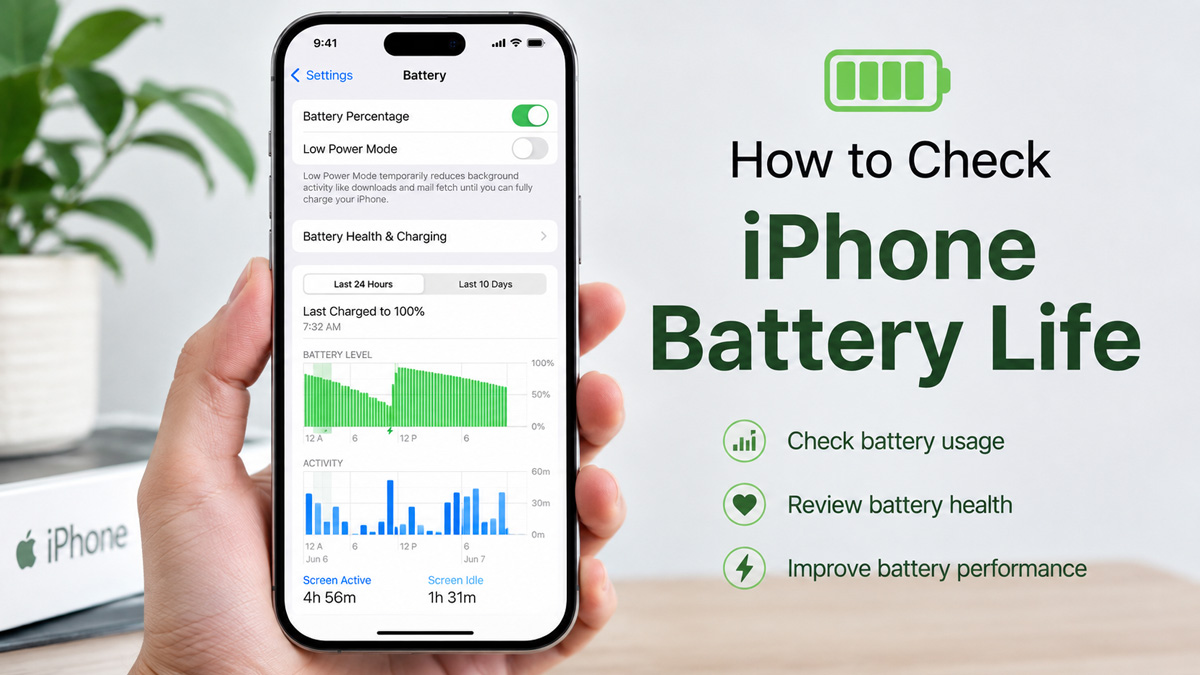
Go to Settings > Battery to check battery usage, screen activity, and which apps consume the most power. You can also open Battery Health or Battery Health & Charging to view Maximum Capacity and evaluate how much the battery has aged.
How to Extend, Enhance, or Maximize iPhone Battery Life?
Reduce unnecessary power consumption by lowering screen brightness, using Low Power Mode, limiting background activity, using Wi-Fi when possible, and reducing heavy workloads when battery power is limited. Keeping the iPhone cool is also important because high temperature can accelerate lithium-ion battery aging.
How to Preserve Battery Life on iPhone?
Long-term battery life is best preserved by reducing heat and avoiding unnecessary stress on the lithium-ion cell. Optimized Battery Charging or Charge Limit can reduce the time the battery spends at a high state of charge, while avoiding repeated charging when the phone is already very hot can help slow capacity loss.
How to Fix Poor iPhone Battery Life?
First check whether high battery consumption is caused by apps, screen use, weak cellular signals, or other software and usage factors. These problems can often be improved. However, chemical battery aging cannot be reversed. If poor battery life is mainly caused by an aged battery with significantly reduced capacity, battery replacement is the effective solution.


